Equipment Rental • 4 mins read
Scaling Industrial Cleaning Operations: What Breaks When You Add Crews, Trucks and Sites

FieldEquip
Last Updated: October 23, 2026

TL;DR: When an industrial cleaning business adds crews, trucks and sites, the manual systems that worked at a smaller size start to fail. Dispatch turns into guesswork, certifications and safety records get hard to track, emergency hours get billed at standard rates, and paper field tickets slow down payment. Spotting these signs early lets you fix the process before it costs you revenue.
A contractor managing two plant accounts with a whiteboard and a spreadsheet wins a refinery contract, adds three vacuum trucks and starts a 24/7 spill response service. Within weeks, the dispatcher is juggling planned jobs, emergency call-outs and crew availability. Field tickets arrive late, safety records are hard to find, and month-end billing takes longer to reconcile.
This is a common turning point for a growing industrial cleaning business. Processes that worked when one person knew every crew, truck and customer start to break down once work spreads across more sites and shifts.
The hard part isn’t adding people and equipment. It’s coordinating qualified crews, available trucks, site safety requirements and accurate billing while priorities change through the day. Knowing where these processes fail is the first step toward an operation that can grow without losing control of daily work.
Why growth exposes the cracks in an industrial cleaning business
Smaller contractors often run on phone calls, spreadsheets and a dispatcher who knows every crew and truck. As more sites and emergency jobs enter the schedule, that knowledge gets harder to keep current.
A vacuum truck is already committed to another facility. The only free crew lacks the right certification. An emergency call-out pushes back three planned jobs.
The effects go beyond scheduling. Delayed work creates overtime, incomplete field records hold up billing, and scattered safety documents make customer audits harder. The root problem is the same in each case: no reliable, shared record of who is where, doing what, with which equipment. The sections below cover where that shows up first.
What breaks when you add crews
Dispatch turns into guesswork
More crews means more labor, but it also means more assignments to coordinate.
A crew scheduled for a four-hour job stays on site longer because the customer adds cleaning scope. Another crew finishes early but doesn’t have the equipment for its next job. When dispatch relies on phone calls and manual updates, the schedule is out of date by mid-morning.
A reliable dispatch process accounts for:
- Planned work, emergency call-outs and required service windows
- Crew availability and expected job duration
- Truck and equipment assignments
- Site access requirements and travel time
- Delays, schedule changes and customer updates
When an emergency interrupts planned work, dispatchers need to see which jobs are affected and move resources without losing track of the original commitments.
Matching the right certification to the right job
Confined space entry, hazmat response and vacuum truck work each require specific training, and many plants add their own site orientation on top of that. Requirements vary by task and by facility.
Keep certifications, expiry dates, site inductions and job requirements in one central record, and check qualifications before assigning a crew instead of relying on memory. Crew scheduling by certification puts qualified people on each job and flags expiring credentials before a crew gets turned away at the gate.
Supervisors spend too much time rewriting paperwork
When crews record job details on paper, supervisors end up reconstructing missing information at the end of the shift. Arrival times, completed tasks, equipment hours, disposal details and extra work often take follow-up calls before the paperwork is ready for billing.
Standardized field tickets cut this down. Crews record the work performed, service hours, equipment used, additional services and customer approval as the job progresses. The result is a complete job record and less time chasing information after the crew has left the site.
What breaks when you add trucks and equipment
Double-booked vacuum trucks and hydrovac units
More trucks only add capacity when the right unit is free at the right time.
A vacuum truck might still be finishing at a refinery, waiting to unload at a disposal site, or in the shop when a dispatcher assumes it’s available. Hydrovac units create the same conflicts when several jobs need specialized equipment on the same day.
Vacuum truck scheduling should account for availability, equipment suitability, assigned jobs, maintenance and expected completion times. It also needs a process for updating assignments when a job runs long. If you’re evaluating hydrovac dispatch software, look for one view of planned work, emergency assignments and equipment status, not a calendar that only lists job times.
Truck hours and disposal loads go unrecorded
A job can go well and still lose money on the ticket.
A customer asks for extra cleaning during a scheduled visit. The crew does the work, but the extra hours aren’t recorded clearly. Or the load count and disposal details are missing from the ticket, so the office can’t support the charge.
Capture service hours, equipment usage, load quantities, disposal details and approved scope changes on every ticket, with fields that match the contract’s billing rules. Complete records let you back up charges, sort out discrepancies and see the real cost of each job.
No clear view of equipment availability
A fleet inventory tells you what the company owns. It doesn’t tell you what’s ready for the next job.
Keep a shared equipment record that shows:
- Current assignment and availability
- Maintenance schedule and service history
- Condition and reported faults
- Required inspections and open repairs
- Expected return or release times
With that record, dispatchers stop assigning units that are already committed or down, and managers can spot recurring bottlenecks before customers feel them.
What breaks when you add sites
Every plant has its own access rules and safety steps
A refinery, a terminal and a manufacturing plant can each have different induction procedures, access restrictions, permit requirements and emergency arrangements. A generic work order shows where the job is but not what the crew needs to know before arriving.
Build a site profile with access instructions, customer contacts, known hazards, permit conditions and required documents. Link it to every job at that site so crews review it before mobilizing. The format stays standard across sites while each facility’s requirements stay intact.
Safety records are scattered across locations
Job safety analysis (JSA) documentation, confined space checklists and equipment inspections often end up in binders, truck cabs, email threads and separate site folders. When a customer or auditor asks for a specific record, supervisors spend hours calling around to find it.
Store each safety record with the job and location it belongs to, in one searchable place. Decide which checks must be completed before work begins, who verifies them, and how revised documents get updated.
Weak connectivity delays field reporting
Refineries, tank farms and other industrial sites often have areas with poor or no cell signal. If a field app needs a constant connection, crews can’t submit tickets or open job details until they reach an area with service. Paper fills the gap, and the data arrives late.
An offline mobile app lets crews keep capturing information and sync it when service returns. Before choosing a system, check which forms and job details are available offline, how syncing works, and how it handles conflicting changes.
Month-end reporting becomes a manual exercise
As sites multiply, each location tends to keep its own spreadsheets for labor hours, completed work, equipment usage and open tickets. Finance then has to reconcile different formats, chase missing information and figure out which jobs are ready to bill.
Consistent work orders and field tickets across locations let managers review open documentation, completed work and job costs without rebuilding every report from scratch.
When emergency work meets planned work
Spill and hazmat call-outs interrupt carefully planned schedules. A crew leaves a routine job, a vacuum truck gets reassigned, and another customer needs a new service window. That’s hard to manage when planned and emergency work are tracked in different places.
The billing side matters just as much. Emergency response often involves after-hours labor, standby time, specialized equipment or extra services, all at different rates from routine work. If everything is logged as standard work, premium charges get missed and the true cost of emergency work stays hidden.
Set clear work classifications and customer pricing for:
- Standard planned services
- Emergency spill response
- After-hours work
- Standby time
- Additional equipment, labor or approved services
Record the reason for each schedule change, the resources assigned, service hours and customer approvals. That gives you a solid basis for emergency spill response billing and shows whether emergency work is adding to or eating into contract margins.
The billing bottleneck: field tickets and disputes
Paper field tickets cause most of their problems after the work is done. A ticket arrives late, is missing a signature, or shows hours that don’t match the customer’s records. The dispute holds up invoice approval and creates extra work on both sides.
The best time to settle questions is while the crew and the customer’s representative are still on site. Digital field tickets should capture the work performed, service times, equipment usage, additional charges and customer approval. Where site procedures allow, collect the representative’s signature before the crew leaves. A clear record supports the invoice and gives you evidence if the customer questions scope or hours.
The next step is connecting field records to accounting. If office staff re-enter ticket data into another system, transcription errors and reconciliation work continue even after the field side improves. ERP integration removes that duplicate entry, so accounting works from the information the crew already recorded.
Signs your operation has outgrown whiteboards and spreadsheets
An industrial cleaning business likely needs a more structured system when several of these become routine:
- Overtime keeps rising because emergency work disrupts planned jobs.
- Dispatchers can’t confirm crew, vacuum truck or hydrovac availability with confidence.
- Certification records and safety documents take too long to find.
- Field tickets arrive late, lack signatures or need repeated corrections.
- Emergency, after-hours and standby work is billed at standard rates.
- Month-end reporting means combining spreadsheets from different sites.
One of these can usually be fixed with a better process. Several at once, across crews and locations, point to the need for a shared system.
Six steps to build an industrial cleaning business that can scale
- Standardize work orders. Use one structure for customer details, site requirements, tasks, crews, equipment, service windows and completion records. Separate routine work from extra and emergency work.
- Schedule crews by qualification. Keep availability, certifications, site inductions and expiry dates current. Compare planned and actual hours to improve estimates.
- Coordinate trucks and equipment. Track assignments, availability, maintenance and return times, with a plan for breakdowns and schedule changes.
- Centralize safety documentation. Keep JSAs, confined space checklists, inspections and site procedures in one place, and define which must be complete before work starts.
- Capture complete field tickets. Record hours, equipment, quantities, disposal, extra work and customer approval during the job. Review gaps before tickets reach accounting.
- Measure and review. Track on-time completion, labor-hour variance, equipment downtime, open tickets, rework and job profitability by site, crew and contract.
What to look for in industrial cleaning software
Once these processes are defined, use the table below to check whether a platform supports the way your business works.
| Capability | What to evaluate | Why it matters |
|---|---|---|
| Dispatching and scheduling | One schedule for planned work, emergency call-outs, crews and equipment | Fewer assignment conflicts |
| Crew scheduling by certification | Qualification records, expiry dates, availability and job requirements | Qualified crews on every job |
| Digital field ticketing | Hours, equipment, additional charges and customer signatures | Complete records that support billing |
| JSA and compliance documentation | Site-specific forms, inspections, required pre-job checks, searchable records | Safety records that are easy to retrieve |
| Customer-specific price books | Separate rates for standard, emergency, after-hours and standby work | Charges that match contract terms |
| Offline mobile app | Field data capture and syncing when signal returns | Complete records in low-signal areas |
| Equipment visibility | Assignments, availability, maintenance and status | No double-booked trucks |
| Open API-based ERP integration | Approved work moving into accounting | No duplicate entry |
Start with the problems that cost you the most. A contractor struggling with missing tickets might start with field ticketing. One running several emergency crews might focus on dispatch, certifications and equipment.
Generic janitorial scheduling tools handle recurring cleaning visits, but they weren’t built for vacuum truck scheduling, emergency response, certification requirements, industrial safety documentation and field ticket billing together. Judge each option on your actual workflows, not feature labels.
How FieldEquip supports growing industrial cleaning contractors
FieldEquip is built for contractors who run planned cleaning and emergency response with the same crews and trucks. Here’s how it maps to the problems above:
- Dispatch guesswork and double-booked trucks: Dispatchers see every crew, truck and job on one schedule and can open an emergency response job at any hour.
- Certification matching: Work is assigned by certification, availability and equipment.
- Paperwork and unrecorded hours: Crews log labor, equipment, materials and disposal on a digital field ticket, and the plant representative signs before the crew leaves.
- Scattered safety records: JSAs, confined space checklists and equipment inspections are built into the work order.
- Emergency work billed at standard rates: Price books hold separate customer rates for planned cleaning, emergency response, after-hours work, standby time and equipment.
- Weak signal at plants and refineries: Crews can open work orders, complete checklists and fill out field tickets offline.
- Double entry in accounting: Open API-based ERP integration sends approved work to accounting without manual re-entry.
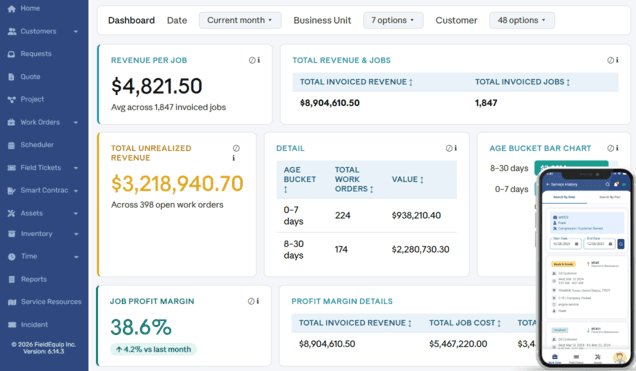
- Month-end reporting: Dashboards show active jobs, crew utilization, backlog and revenue, and job costing compares costs against billing.
See how it works on our industrial cleaning software page.
Key takeaways
- Growth brings planned and emergency work at the same time, and that mix is what breaks whiteboards, phone calls and spreadsheets.
- Matching crews to jobs by certification can’t rely on one dispatcher’s memory once the team grows.
- Truck hours and disposal loads that aren’t recorded on site become lost revenue.
- Emergency, after-hours and standby work needs its own rates, or premium hours get billed as standard work.
- A digital field ticket signed by the plant representative before the crew leaves is the best defense against billing disputes.
- The right system puts planned and emergency work on one schedule, requires JSAs before work starts, and works offline at low-signal sites.
Frequently asked questions
Use one shared schedule that shows planned jobs, emergency call-outs, crew qualifications, equipment availability and customer time windows. When an emergency changes the plan, update the affected assignments and tell customers about revised service windows.
Capture service hours, completed work, equipment usage and additional charges at the job site. Get the customer representative’s signature before the crew leaves, and make sure the ticket has everything the contract requires before it reaches accounting.
Keep safety records linked to each job and site in one central place, with site-specific requirements and completion status. Require the documents to be completed before work begins so they can be pulled quickly for customer reviews and audits.
When scheduling conflicts, missing safety records, late tickets, pricing errors or month-end reconciliation keep disrupting operations. If several of these happen every month, the cost of staying on spreadsheets is likely higher than the cost of switching.
Keep your industrial cleaning operations ready for growth
Adding crews, trucks and sites should increase your capacity to serve customers, not multiply the time spent coordinating work and correcting paperwork. Standardized work orders, reliable crew and equipment scheduling, accessible safety records and complete field tickets give a growing contractor a stronger foundation.
A Clearer Way to Run Field
Service Operations
Field service challenges are not just operational. They directly affect cash flow, billing accuracy, and scalability.
Schedule a Demo